Skip to content
SecBrain · free to start

Keep everything you read in one place, and find it again when you need it.

SecBrain saves web pages, PDFs, voice notes and screenshots into one library. It summarises and tags each one, and you can search or ask questions across all of it.

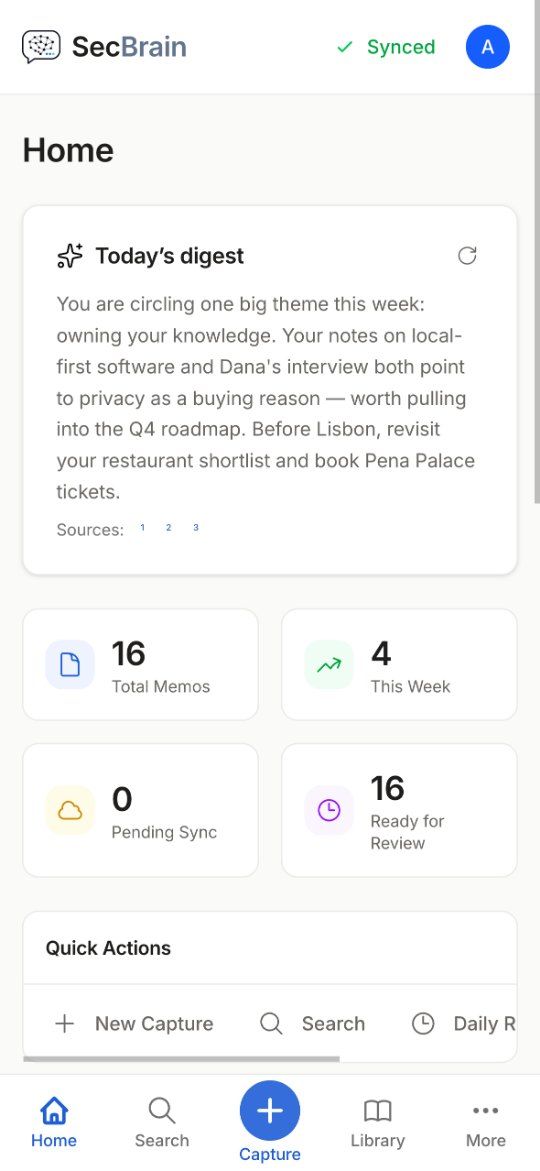
SecBrain home on mobile
How it flows
01 · Capture

Text, URLs, voice, files and clipboard. Queues offline.

02 · Enrich

Summary, tags, links and embeddings by our AI.

03 · Recall

Search, chat with citations, and a daily review queue.

01Capture

Anything, from anywhere, even offline.

Articles, PDFs, voice notes, YouTube videos with full transcripts, screenshots that the AI can read. Save from the web with the Chrome extension, from any iOS app via the share sheet, from the desktop app with a keyboard shortcut. Captures save to your device first. If you’re offline, they queue for sync, and if your laptop crashes mid-write, the queue survives.
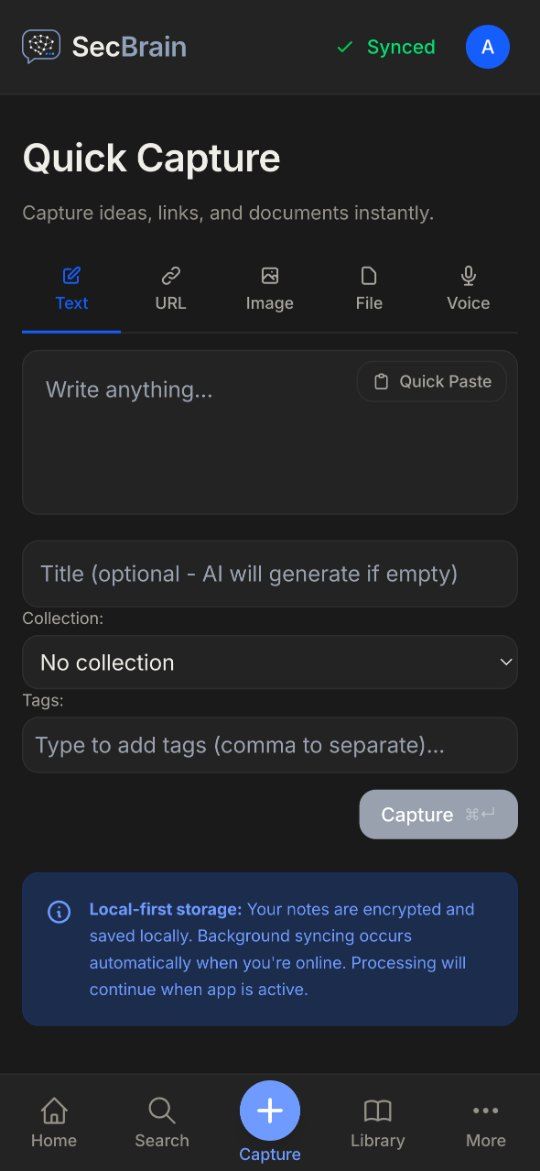
Quick Capture on mobile
02Synthesise

Cloud AI that works out of the box.

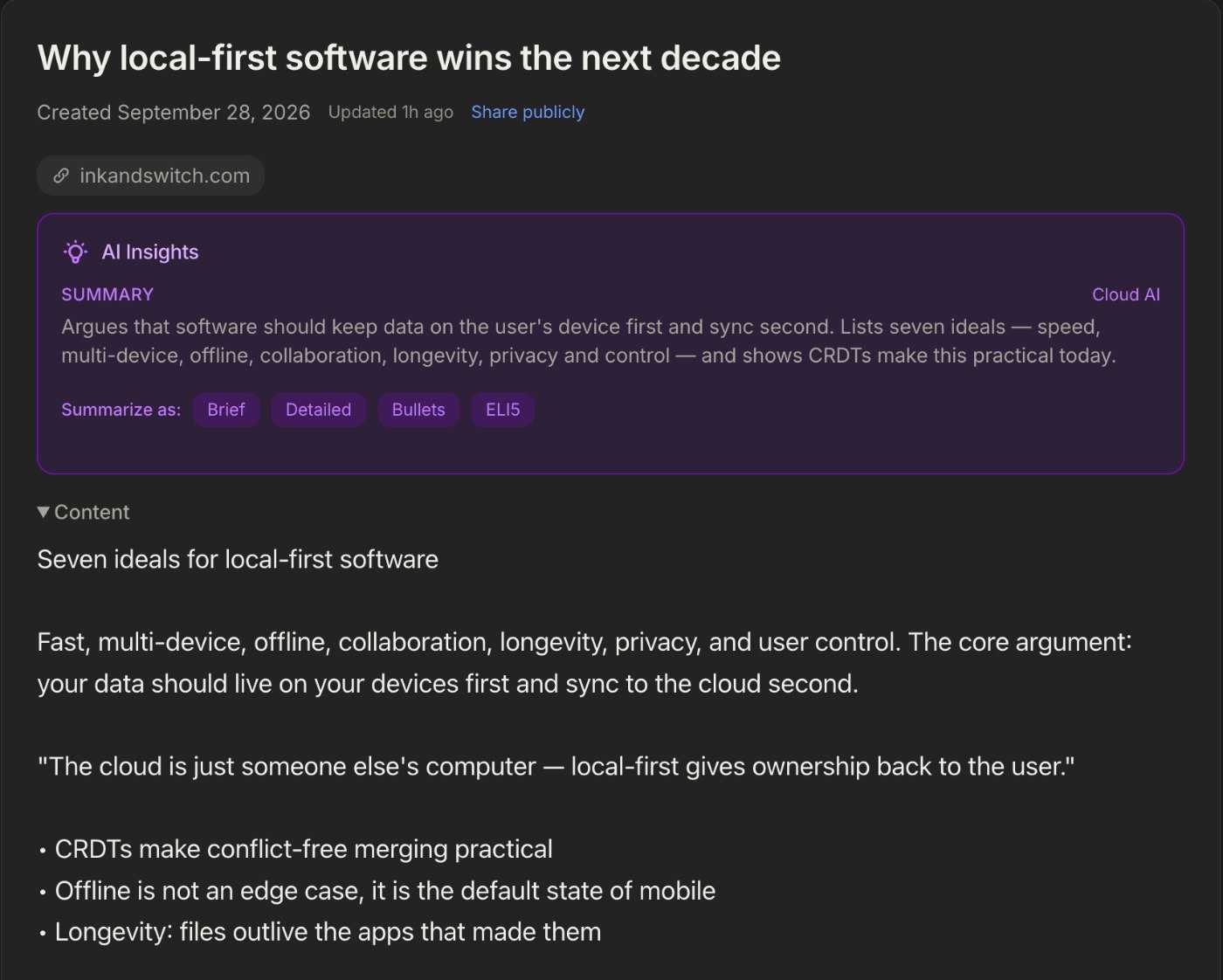
Summaries, tags, links and chat run on cloud AI, through our server. There is nothing to install and no keys to manage: your request goes through our server to the AI provider, and the answer comes back to you.

A memo with its AI summary
03Retain

A daily review, weekly insights and a graph that grows.

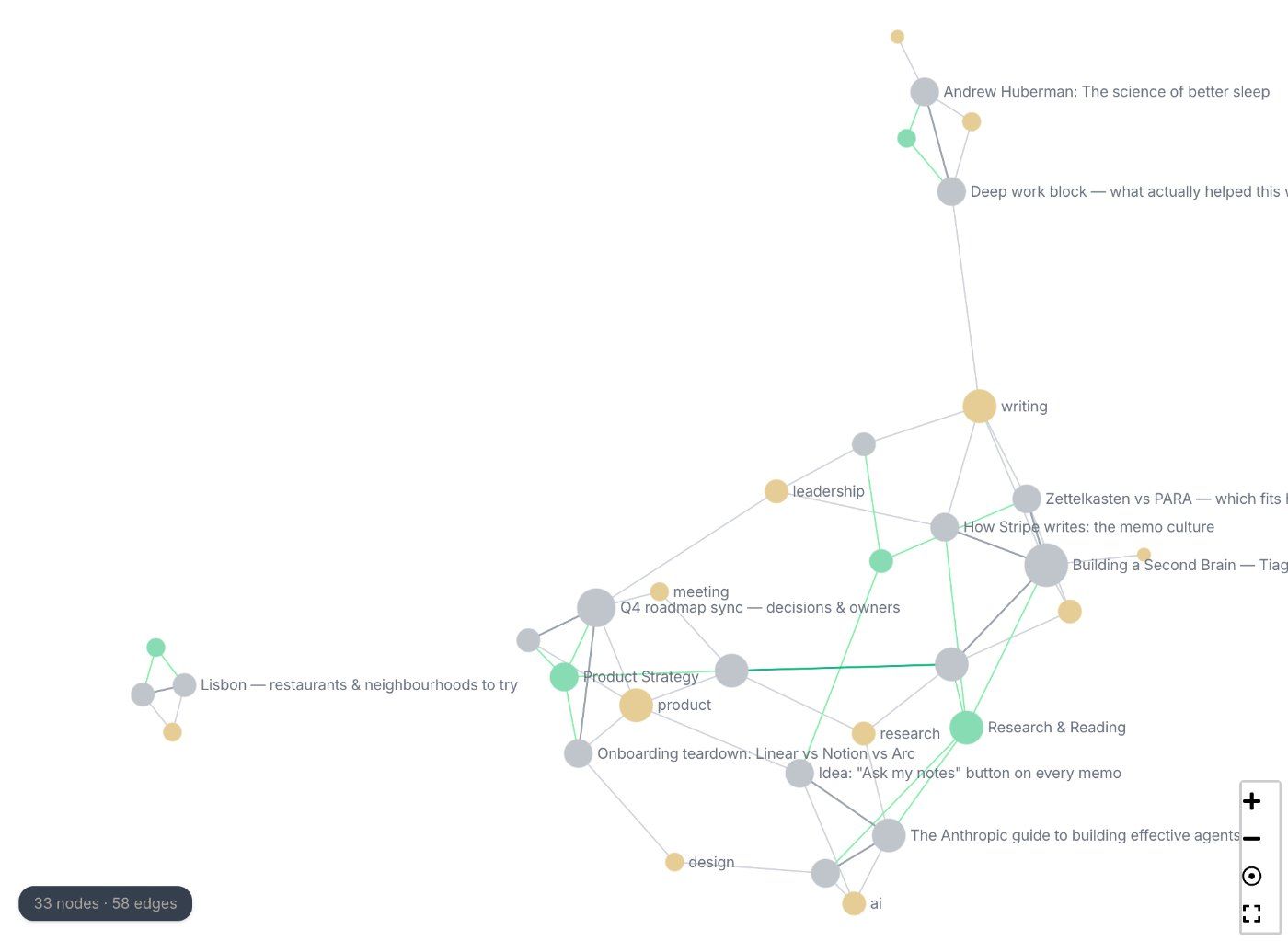
SM-2 spaced repetition (the algorithm Anki uses) pulls forgotten memos back into your day at the right interval. Weekly AI insights show you themes you hadn’t noticed forming. The knowledge graph (nine link types, with links the AI suggests) shows how your notes connect.

Knowledge graph of memos, tags and collections

Ask your library a question

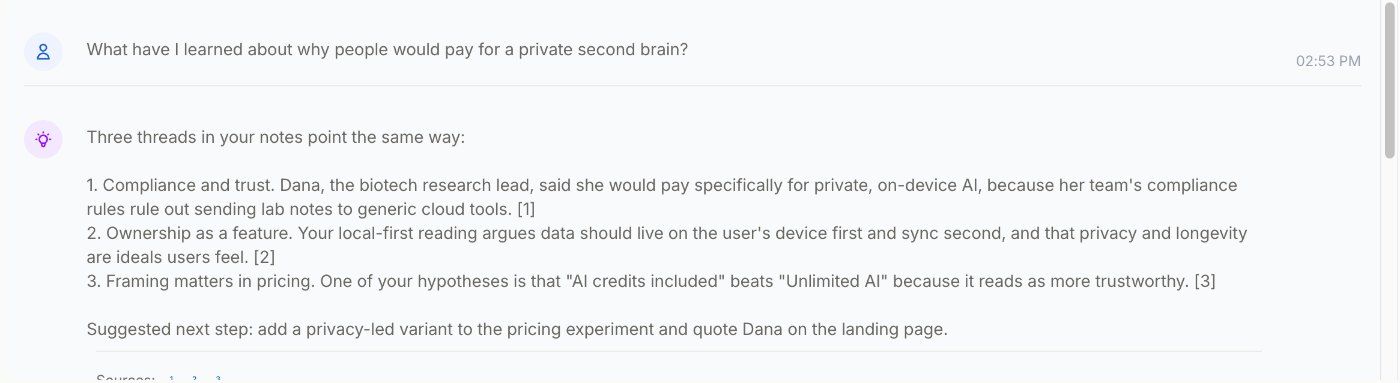
Search finds notes by meaning, not only by matching words. Chat answers from your own notes and shows which ones it used.

Chat answering from three of your notes, with sources

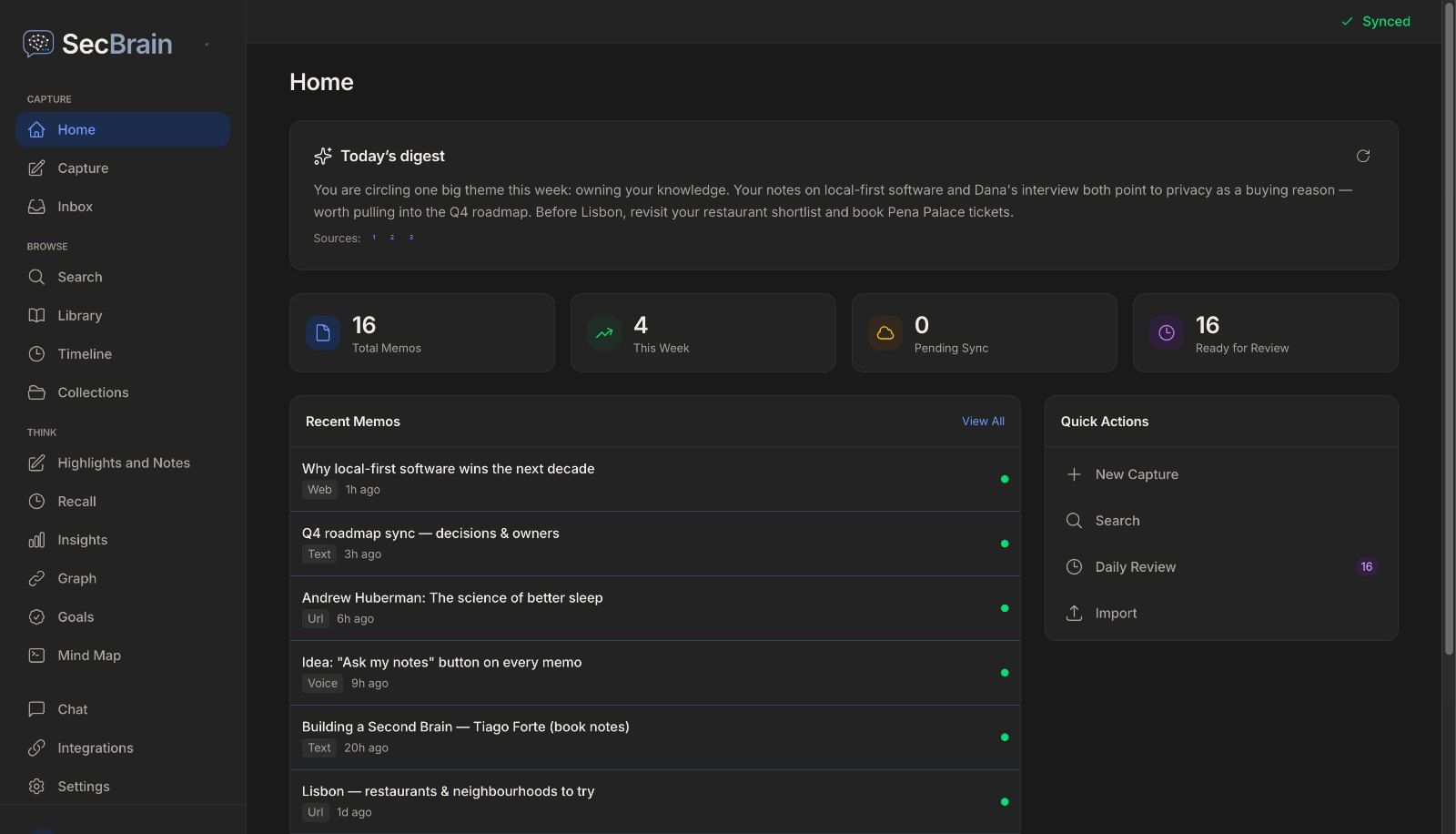
Come back to what you saved

A short daily review brings notes back before you forget them. It schedules them with SM-2, the method Anki uses.

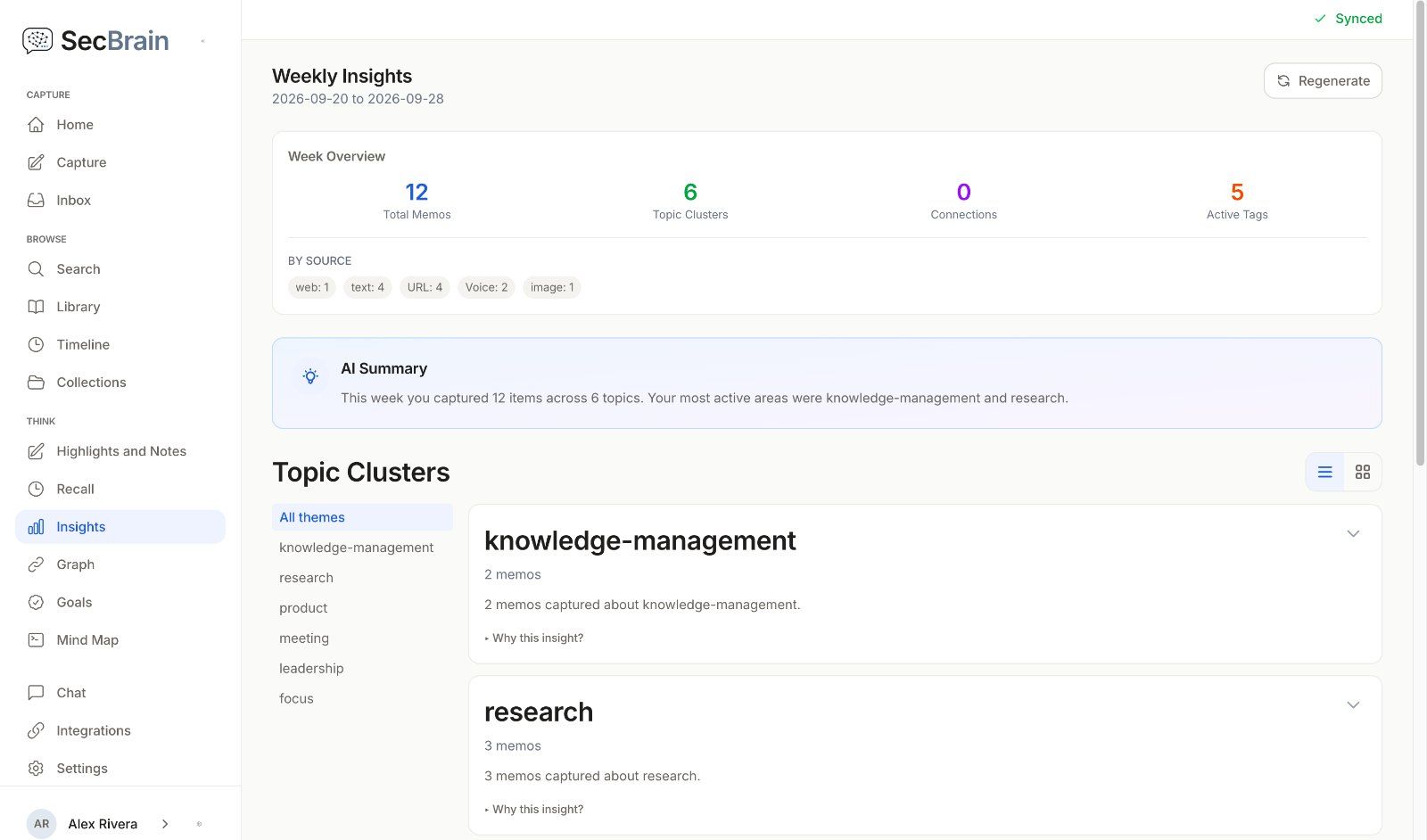
Each week, SecBrain shows the themes in what you saved. On Max, a graph shows how your notes connect.

Weekly insights: memos this week and topic clusters

Where your notes and AI requests go

AI runs in the cloud, through our server
Your request goes through our server to the AI provider, then the answer comes back to you.
Your library syncs through our servers
That is how your phone and computer stay in step.
Export is on every plan
Download all your notes as Markdown, including on Free. Read the privacy page

Start free, and upgrade when you need more

Use it in the browser at app.secbrain.app, on macOS (Apple silicon) or Windows, or on iPhone from the App Store, coming soon.

Free
$0

Capture, summaries, search, chat and daily review, with daily AI limits.

Pro
$12a month, or $120 a year

Higher limits and weekly insights.

Max
$29a month, or $290 a year

The highest limits and the knowledge graph.

A 14-day trial with no card is coming soon. See plans

Questions

Questions you might have.

Is SecBrain free?
Yes. There’s a free tier with no credit card. Pro raises the limits (500 memos, more AI) and adds weekly insights; Max raises them again and adds the knowledge graph. See Pricing.
Where does my data live?
Your library is cached on each device and synced through our servers, which also store your attachments, run the AI requests and keep a search index for the Chrome extension. The Privacy page spells out exactly what crosses the wire.
Where does the AI run?
In the cloud, through our server. Your request goes through our server to the AI provider, and the answer comes back to you. There is nothing to install or set up.
Can I use my own AI keys?
No. Every plan uses cloud AI through our server, on SecBrain’s own accounts with Anthropic (Claude), OpenAI and Google (Gemini), within your plan’s limits, so there are no keys to manage. Your plan sets how much AI you can use each day.
What can I capture?
Web articles (clean reader extraction), PDFs (text extraction), YouTube videos (with transcripts), voice notes (transcribed), screenshots (read by AI vision), and anything you can paste.
Does it work offline?
Yes. Capture, search, read, and edit work without a connection. Sync resumes when you’re back online.
What platforms does it run on?
Web (PWA), Desktop (macOS and Windows via Tauri), Chrome Extension (Chrome Web Store listing coming soon), and native iOS (App Store listing coming soon). Android is under consideration.
Can I export my data?
Yes. On web and desktop, a full backup exports clean Markdown plus your attachments; the iOS app exports Markdown. You can leave at any time and take everything with you.

Start with the free plan. No card needed.